yeetslice

A free and open source 3D printing app that's easy to use: slice models and send them to your printer. Starts with the FlashForge AD5X and its 4-colour station.

Free and open source (MIT) · for Linux on x86-64 PCs

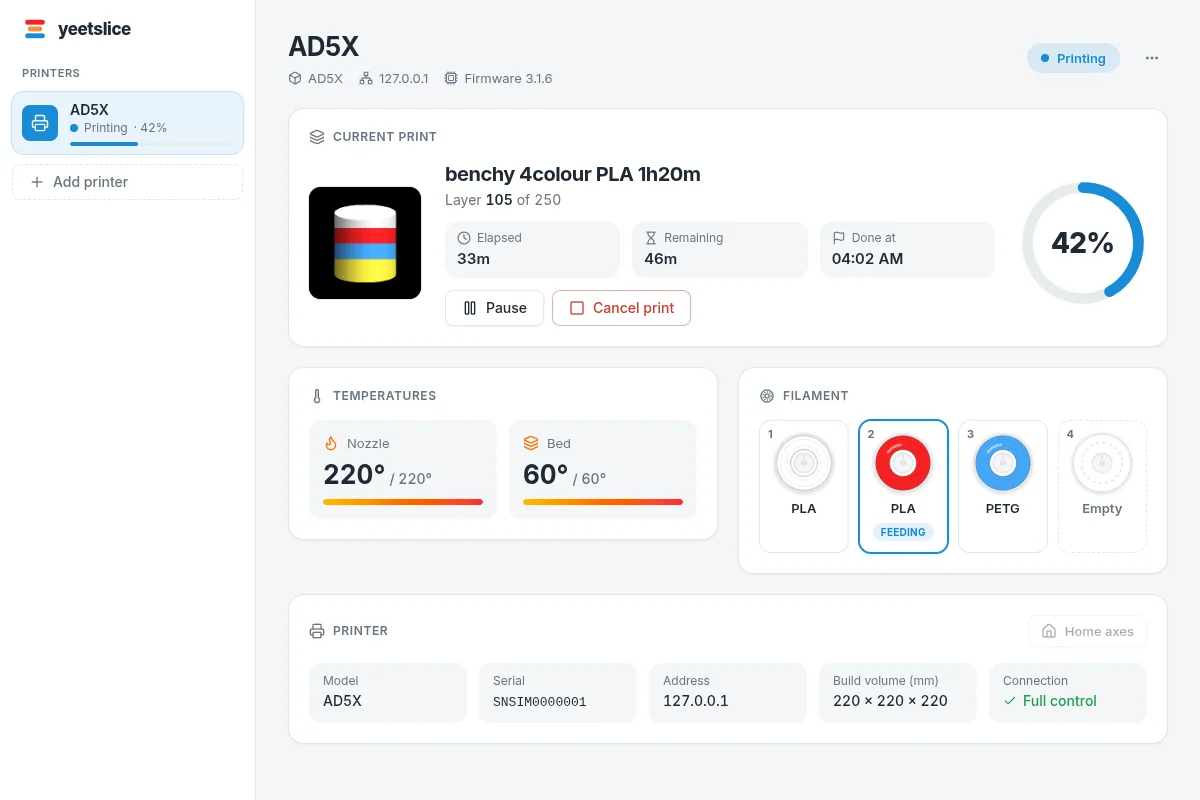
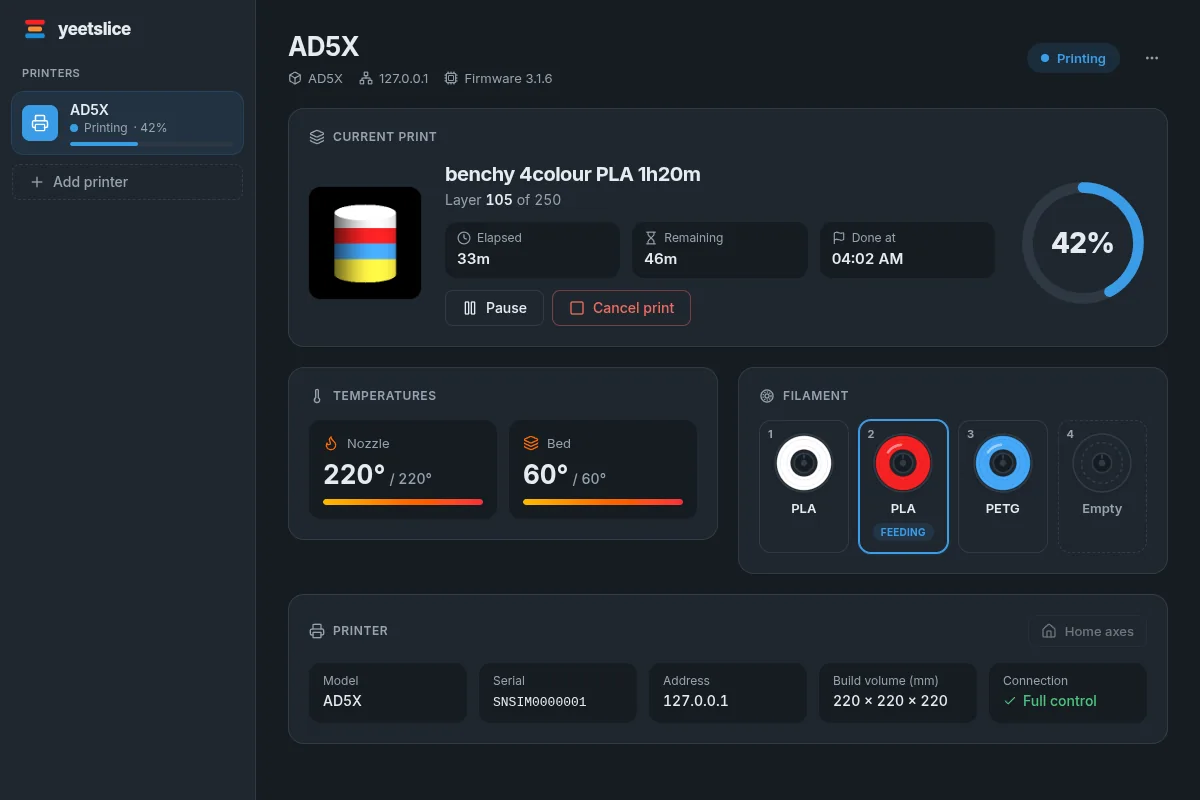
yeetslice watching an AD5X print in four colours: progress, temperatures and the filament in each slotyeetslice watching an AD5X print in four colours: progress, temperatures and the filament in each slot

Install on Linux

Pick one. Both keep themselves up to date.

The first release is on its way. Until it's out, the buttons below won't work yet; keep an eye on the releases on Codeberg.

AppImage

Updates itself

One file that runs on most distributions, nothing to install. It checks for new versions and updates itself; you can turn that off in its Settings.

Make it executable and run it:

chmod +x yeetslice-*.AppImage && ./yeetslice-*.AppImage

Want it in your app menu? The install script adds a launcher and icon: sh install-appimage.sh yeetslice-*.AppImage

What it does

  • Finds your printer

    It looks for printers on your network, so there's no IP address to type in.

  • Live status and the 4-colour station

    Temperatures, progress and time left, and the filament loaded in each slot.

  • Tinkercad-easy prepare

    Move, turn and scale each axis. Cut models in two, join parts and separate them again.

  • Multi-colour slicing

    Paint parts in up to four colours. A prime tower keeps colour changes clean.

  • Supports

    Supports where overhangs need them, so models print in one go.

  • Straight to the printer

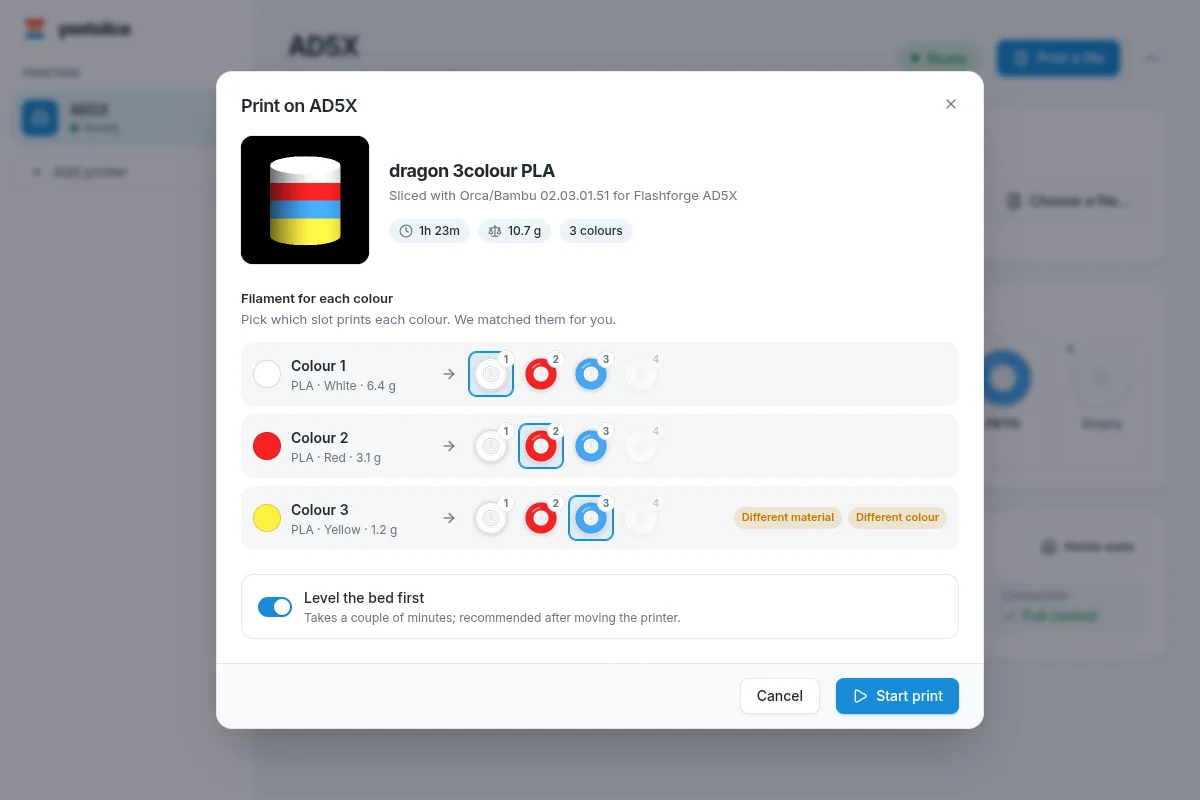
    Sends the file to your printer and matches each colour to a filament slot for you.

A closer look

The print dialog: each colour in the model is matched to a filament slot
Choose a filament for each colour. yeetslice matches them to what's loaded.
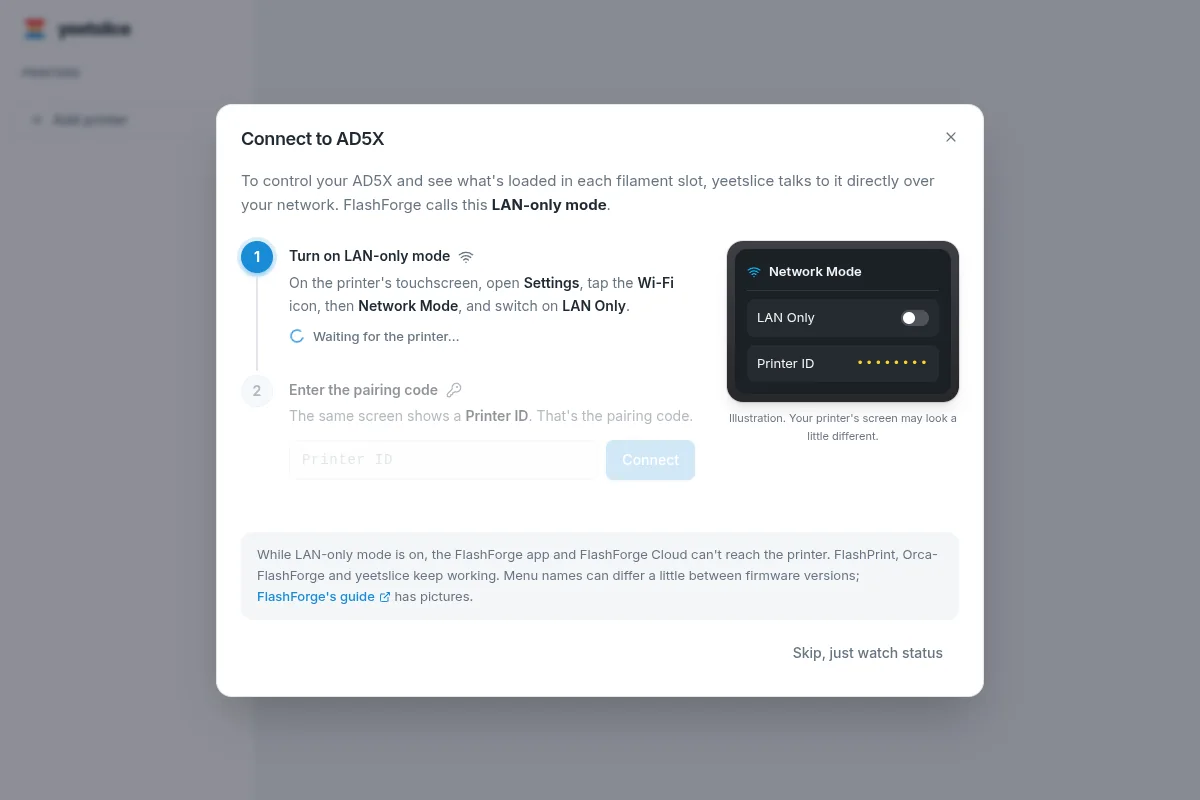
Connecting to an AD5X: switch on LAN-only mode and enter the printer's pairing code
Connecting your AD5X takes a minute, with the steps on screen.

Check it's really us

Releases are signed with the yeetslice release key. Flatpak checks every install and update against it automatically: the key comes with the .flatpakref above. To check the key yourself, compare its fingerprint:

B252 7F1F B6C6 C076 6744 6FC9 D1D8 1277 15A9 F789

curl -sL https://yeetcad.com/slice/yeetslice-release.asc | gpg --show-keys

Download the public key · yeetslice.flatpakrepo (for flatpak remote-add) · The AppImage's SHA-512 checksum is in latest.json, and the AppImage checks it before it updates.